
Turn your brief into a Google Ads campaign
From a brief to a published campaign
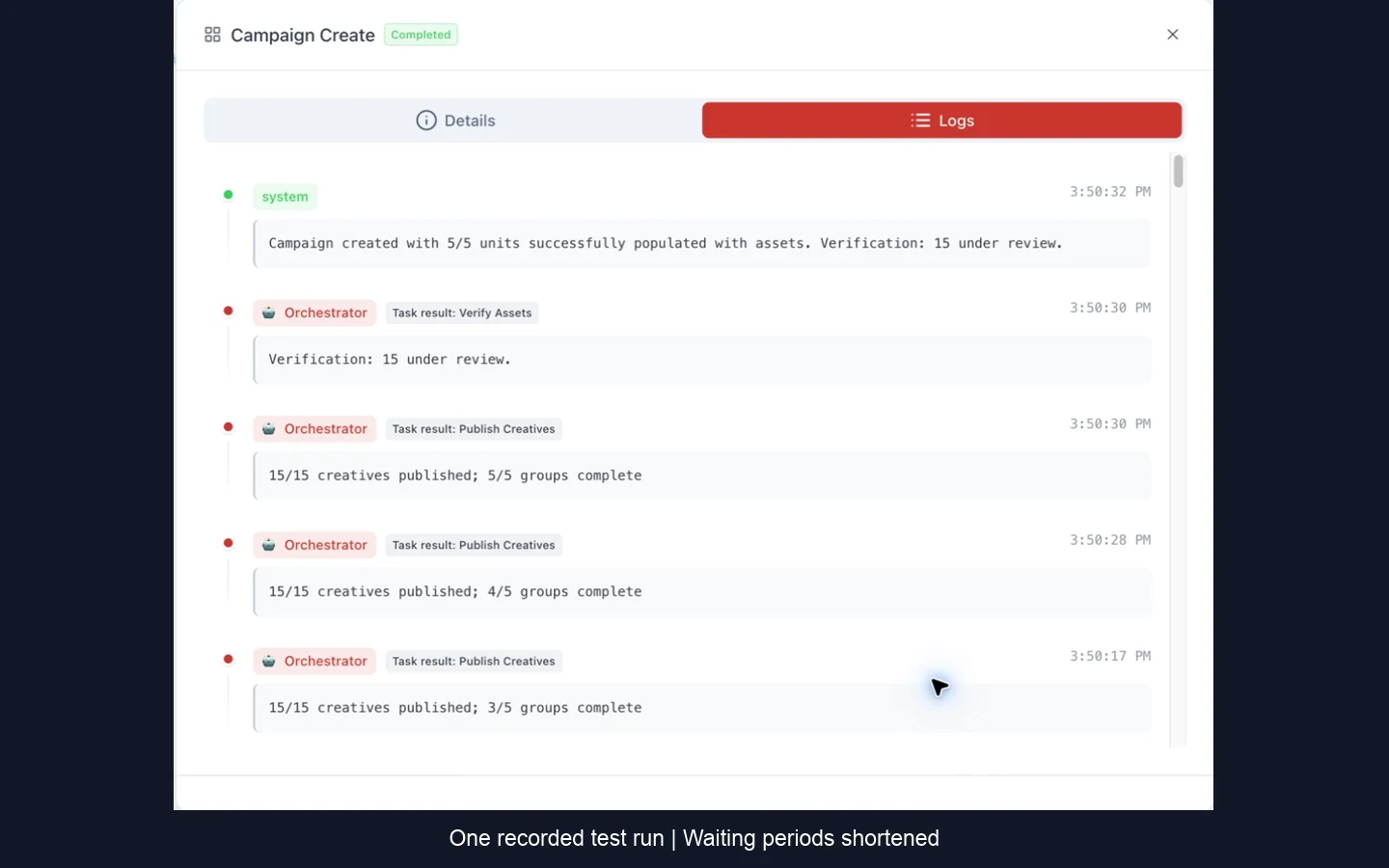
- Ad groups created
- 5
- Search ads published
- 15
See the Turkey-focused campaign in our recorded test example.
Watch the Turkey exampleFrom campaign context to a reviewable structure
1. Campaign inputs
Provide the website, campaign goal, budget, locations, and other required inputs.
2. Market research
AI agents analyze the business and market context before structuring the campaign.
3. Keywords and structure
Discover keyword themes and organize them into coherent campaign and ad-group structure.
4. Create and publish ads
Create responsive search ads aligned with the campaign structure and publish them directly to the connected account. Verify the generated results in Google Ads.
Built for real Google Ads account workflows
AdeptAds connects to standard Google Ads accounts and manager (MCC) accounts. That makes the workflow usable for a business building one campaign and for an agency managing multiple advertisers.
Creation includes automatic publication. Review campaign settings and generated content in Google Ads; ad delivery remains subject to your settings and Google Ads review.
Put the workflow into practice
How to create a Google Ads campaign: four approaches
Compare hands-on setup, a specialist, an AI chat without ad-account tools, and AdeptAds—from campaign planning to publication.
Google Ads campaign creation: a regional walkthrough for Turkey
5 ad groups. 15 published Search ads. Watch a brief turn into a Turkey-focused Google Ads campaign, from website research and keywords to ad copy and publication.
How to create a Google Ads campaign with AI
Create a Google Ads campaign with AI: account setup, business inputs, targeting, publication and a practical review of the result.